How to Prepare for an Automated One-Way AI Interview (HireVue/Video Assessments)
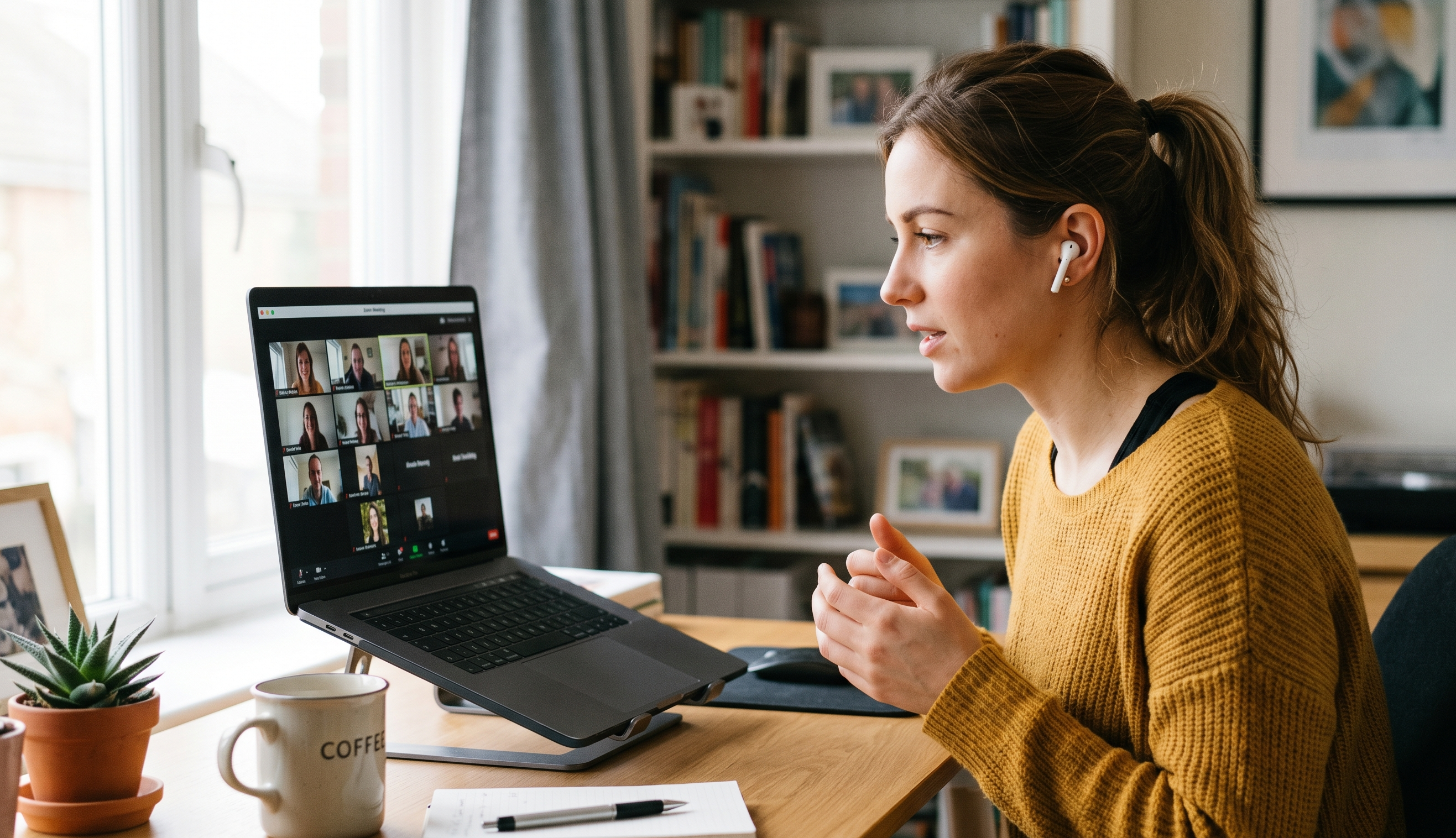
Prepare for AI-driven one-way video interviews (like HireVue) with practical tips on camera eye contact and speech pacing. Stand out confidently!
Introduction
Facing a video camera with no interviewer behind it can feel strange. Many tech and corporate companies now use automated one-way AI interviews (via platforms like HireVue, Spark Hire, or proprietary video assessments) to screen candidates. Instead of a live person, you must record answers on your own, with artificial intelligence (or recruiters later) evaluating your performance. The stakes are high: this initial screening can decide whether you get an invite to a live interview. That means it’s crucial to prepare differently than for in-person interviews. In this post, we’ll walk you through proven tips and frameworks — especially on eye contact and speech pacing — to help you come across as confident and engaging on camera. Along the way, we’ll point out common pitfalls and best practices. By the end, you’ll understand how to adapt your interview style for this format and use resources like Pulse Job to support your career journey.
Why This Matters
AI-driven video screens are here to stay. Companies use one-way interviews to handle huge applicant volumes, speeding up hiring and reducing biases. For candidates, that means you may have only a brief recorded interaction to show you’re the right fit. If you’re unprepared – speaking too fast, avoiding the camera, or stumbling – you could be filtered out before a human ever hears you. On the other hand, careful preparation lets you beat the odds. Clear communication and engaging delivery in that 1–2 minute clip make a strong first impression. In short: mastering the automated video interview is as important as nailing a live panel. These are skills you’ll use again, as even remote working often involves virtual presentations. Taking them seriously now can set you apart.
Step-by-Step Guidance
Set up your space and tech: Choose a quiet spot free from interruptions. Use a plain, uncluttered background and good lighting (natural light facing you is ideal) so your face is clearly visible. Position the camera at eye level and test your internet, webcam, and microphone beforehand. Silence notifications and close unrelated apps. Have water on hand and consider using a lapel microphone or headphones to ensure clear audio. The small details — like stable lighting and a charged computer — help you look professional and let viewers focus on what you say.
Understand the format: Most one-way platforms show you 3–5 questions in a row. You’ll usually get about 30 seconds to think, then 60–90 seconds to answer each question. Some systems (HireVue, Spark Hire, etc.) even let you re-record an answer if you mess up. Read instructions carefully so you know how many takes are allowed and how long your answers can be. Treat each response like a mini speech: use the entire time efficiently. For example, aim for around 150–180 words in a 90-second answer. A concise 60-second answer that directly addresses the question is better than a rambling one. Planning for timing helps you avoid running out of words or rushing at the end.
Prepare your content: Write out key bullet points (not a full script) for common questions. Use the STAR method (Situation, Task, Action, Result) for behavioral questions. For instance, if asked “Describe a time you solved a tough problem,” you might note: 1) the problem context, 2) the action you took, and 3) the outcome (ideally with numbers or a clear benefit). Avoid memorizing word-for-word scripts – instead, practice elaborating on your notes in a conversational way. Make sure each answer has a clear beginning, middle, and end. Keep it focused: even if you have extra time, don’t pad the answer with unrelated details.
Example: If a question is “Tell me about a time you improved a process,” your answer could be: “In my last role (Situation), we had a weekly report that was late 50% of the time. I realized the process was too manual (Task), so I proposed and built a small automation script in Python (Action). As a result, we cut the report-generation time by 70%, delivering on time every week thereafter (Result).” Practicing answers like this on camera helps you stay sharp and concise.
Practice your delivery: Now that you know what to say, practice how to say it. Record yourself on video answering sample questions under the actual time limits. Play it back to check your speech rate, body language, and pacing. Are you speaking clearly at about 100–125 words per minute (slightly slower than normal conversation)?. Do you have any filler words (“um,” “like,” “you know”) that need trimming? The goal is to sound conversational, not robotic or overly rehearsed. Notice also where your eyes go: Are you looking at the camera or glancing away? Try putting a small sticky note or a picture near your webcam as a reminder to focus on the lens. Practice until you can glance at your notes and still turn back to the camera naturally between bullet points.
Mind your eye contact and body language: Because the interviewer is a camera, looking into the lens is critical. It creates the illusion of eye contact and engagement. Sit up straight with shoulders relaxed, and frame yourself nicely in view (head and shoulders visible). Smile subtly at appropriate moments — warmth on camera makes you appear friendly and confident. Keep gestures minimal and purposeful (small hand gestures can emphasize points, but avoid fidgeting). If it feels odd at first, remember that a person will be watching your final video — so pretend someone is on the other side of the screen. A little nod or smile shows you’re engaged in an implied conversation.
Wear professional attire: Dress as you would for an in-person interview. This usually means business casual or formal wear depending on the industry. Even if your lower half isn’t on camera, stand up occasionally or enter the frame to ensure you’re fully dressed. Solid, neutral colors work best; avoid distracting patterns or logos. Proper attire helps you mentally get into interview mode and projects professionalism.
Test with a trial run: Do a final dry run right before the real thing. Use a friend or your phone to record yourself answering a few random questions on camera. Check your eye level, lighting, and sound. Confirm that your internet is stable. Make sure water is available and any notes are just out of view (visible only to you). If the platform allows retakes, decide in advance if you’ll use them sparingly — for example, only if you cough or get derailed. Remember that recruiters score substance over perfection, so a minor slip isn’t a disaster as long as your core answer is strong.
Real-World Examples
Answering a common question: Suppose the prompt is “What are your strengths?” You might prepare to highlight three relevant skills. For example: “I excel at clear communication and project management. In my last role, I led cross-team meetings and introduced a tracking system that improved our on-time delivery by 15%. I’m also very organized and proactive, using tools like Trello to manage tasks. All of these help me keep projects on schedule.” Practicing this answer aloud with a stopwatch helps ensure it fits under the time limit and sounds natural.
Using the STAR method: If asked “Tell us about a time you handled a challenge,” structure it. E.g.: “Last quarter (Situation), our key server went down during peak traffic (Task). I quickly organized a small team to troubleshoot. I delegated tasks: one person checked the backups, another debugged the code, while I communicated updates to stakeholders (Action). We restored service within 45 minutes and then implemented an automated alert system for future incidents (Result).” Saying this in one go, with practiced pacing and looking at the camera, shows clear thinking and execution.
Managing nerves: It’s normal to feel awkward at first. One candidate found it helpful to pretend a friendly mentor was behind the camera. After a few practice runs, she actually put a small stuffed animal beside the webcam as a “cheerleader.” This trick (not typical, but it worked for her) helped simulate a person to talk to and eased her nerves. The key is to find what makes you relaxed and confident on camera.
Common Mistakes to Avoid
Reading a script word-for-word: It breaks eye contact and sounds unnatural. Eyes shift and voice flattens, making it obvious you’re not speaking genuinely. Instead, use brief bullet points on note cards or screen (if allowed) and speak in your own words. This keeps your delivery smooth and credible.
Looking at the screen instead of the camera: It may seem natural to look at your image or the on-screen cues, but the interviewer only sees where the camera points. Avoid gazing at yourself or reading on-screen; instead, commit to looking at the lens whenever you speak. (Pro tip: focusing on the camera makes your eyes look bright and engaged on the resulting video.)
Rushing your speech or using lots of “ums” and “likes”: Many candidates speed up out of nerves, exceeding a comfortable rate. This not only makes understanding harder, but also can make you seem anxious. Aim for about 100–125 words per minute, and pause briefly between thoughts. Practice filling those pauses so you don’t feel you must speak nonstop.
Poor environment (lighting/noise): Background distractions, poor lighting, or ambient noise draw attention away from your words. For example, someone once forgot to turn off a ceiling fan, and the video showed annoying shadows. To avoid this, test your setup: record a short clip and watch it. Make sure any barking dogs, phone alerts, or clutter in view are removed.
Rambling or unfocused answers: Long, tangential responses hurt more than help. Recruiters can’t pause or ask clarifying questions in a one-way interview, so stay on track. Structure your answer: state your main point first, then give a concise example or detail. If you finish early, it’s fine to end slightly before the time limit.
Poor posture or lack of enthusiasm: Slouching, stiff posture, or a monotone voice makes you seem disinterested. Remember, your energy must come through the screen. Sit up straight, smile where appropriate, and vary your tone. Show you’re excited about the role. If the first take sounds flat, do another (if allowed) until you strike the right balance of professionalism and warmth.
Treating it casually: It can be tempting to think “It’s just a recording,” but that mindset backfires. One study found 33% of candidates who abandon the process do worse than those who treat it earnestly. Think of the video interview as equally important as an in-person one. That means full preparation, no eating/drinking in view, and acting “on” for the camera.
Best Practices
Maintain strong camera eye contact: As one expert puts it, “Look directly into your camera lens to simulate eye contact”. This creates the connection a recruiter looks for. If it helps, place a small note or a friendly photo just under the webcam to remind you where to look.
Speak at a moderate pace: Hitting around 100–125 words per minute is usually ideal. This is slightly slower than casual chat, giving you time to enunciate and avoid fillers. Practice with a timer so you naturally slow down and use pauses for emphasis. If you’re unsure about your pace, record yourself answering a common question and check that you’re neither blurting out answers too quickly nor dragging out sentences.
Use clear examples and results: Whenever you make a claim (“I’m organized,” “I improved processes”), back it up. As recruiters say, vague claims “do not mean much on their own”. Instead, briefly describe what you did and the outcome. For example, “I implemented a new project tracker, and we cut task delays by 40%.” Concrete examples and numbers make your answers memorable.
Be concise and structured: Keep answers focused. A useful rule is: “A sharp 60-second answer is often better than a wandering three-minute one”. Start with a one-sentence thesis (e.g., “My top strength is X”), then one example or story, then a quick wrap-up linking back to the role. This clear structure helps any reviewer (or AI system) score your communication skills positively.
Show confidence and personality: One mistake is being too rehearsed or stiff. It’s actually better to sound natural with a little genuine enthusiasm than dead-pan perfect. Smile when it fits, use a friendly tone, and let a bit of your personality shine through professionally. Think of this like answering a friendly colleague — it keeps you animated. If you stumble over a word, it’s okay; a brief pause and a confident restart is fine.
Dress and gesture appropriately: Dress as you would for an in-person interview. A simple gesture, like nodding to show understanding, can be positive. But avoid exaggerated movements; keep gestures calm. Ensure your face is visible – don’t sit too far from the camera.
Comparison with Other Formats (Live vs. One-Way)
Unlike a live video or phone interview, you won’t get real-time feedback or have the chance to bounce a question back. However, you can control the environment and sometimes edit your answers. Treat this format as an advantage in some ways: you can practice each response until it’s polished. In contrast to a live chat, remember that silence is okay (you won’t cut off a live speaker), so brief pauses are fine. If you feel more comfortable in person, mock yourself on camera until the one-way format feels more natural. Both types reward many of the same skills — clarity, relevance, engagement — but one-way requires extra self-policing.
How Pulse Job Helps
Preparing for a high-tech interview also means having the right tools and information on hand. Pulse Job is built for job seekers like you. As a global job portal and career platform, it not only lists thousands of tech and corporate jobs (including those requiring video screenings), but also provides resources to boost your readiness. On pulsjob.com and the Pulse Job app, you can create a polished profile and upload your resume so recruiters see your qualifications immediately. Our Career Insights & Tips section (the very blog you’re reading) offers in-depth guides on everything from common interview questions to resume building. By using Pulse Job, you’ll discover roles in your field and find curated advice to tackle each step of the hiring process. For instance, Pulse Job’s community articles cover interview strategies, so you can continue learning beyond this post. Plus, the Pulse Job mobile app (available on iOS and Android) sends timely job alerts and career tips to your phone, helping you practice with real questions from posted roles. In short, Pulse Job connects you with opportunities and equips you with the knowledge — making it easier to succeed in an AI interview and beyond.
FAQs
What is a one-way AI video interview? It’s a pre-recorded interview format where you record answers to preset questions on camera, without a live interviewer. Many companies use this to screen candidates quickly. You’ll usually see a question on screen, have a short prep time, then record your answer for a minute or two. It feels like talking to the screen, and an AI or recruiter later reviews your video.
How do I improve eye contact in a video interview? Pretend the camera lens is the interviewer’s eyes. Sit at eye level so you’re looking straight ahead. It helps to disable any self-view or your own video so you aren’t tempted to look at yourself. You can even place a small sticky note just below the camera as a visual cue. The more you practice looking at the lens while speaking, the more natural it becomes.
What speaking pace should I use? Aim for a steady, measured pace – roughly 100 to 125 words per minute. This usually feels a bit slower than normal chat. It ensures you articulate each word. Practice by recording and timing yourself. If you find you talk too fast when nervous, consciously slow down and pause between sentences. Pausing briefly before answering can also give you a moment to gather thoughts.
Can I re-record my answers on HireVue or similar platforms? It depends on the company’s settings. Some systems allow multiple takes per question, others only one. Always check the instructions before starting. If retakes are allowed, use them sparingly — only redo an answer if you had a clear mistake (like coughing or going off-topic). Don’t over-rehearse into submission; a genuine, solid response on the first or second try is enough.
How can I practice for a video interview? Practice is key. Record yourself answering sample questions with your webcam or phone using the same time limits. Review the recording for filler words, body language, and eye contact. You can also use online mock-interview tools or apps that simulate HireVue-style questions. Pulse Job’s blog and career tips sections are great resources for common questions to practice. Doing 4–5 timed mock runs lets you improve your pacing (shoot for ~150–180 words in 90 seconds) and makes the real interview feel more familiar.
Conclusion & Next Steps
One-way AI interviews may seem daunting at first, but they reward the same fundamentals as any good interview: clear answers, confidence, and authenticity. By setting up your space properly, structuring your responses, and practicing a natural camera presence, you turn this format to your advantage. Remember the core frameworks: look into the lens, speak at a measured pace, and share concrete examples. Avoid the pitfalls of scripting yourself or speaking too fast, and instead focus on being yourself — prepared and polished.
As you continue your job search, let Pulse Job help guide you. Explore pulsjob.com or download the Pulse Job app to find the latest tech and corporate openings. Build your profile and check out our additional career tips (like this one) so you’re ready when that next HireVue link arrives. With preparation and the right tools, you’ll handle any automated video assessment with confidence. Good luck – and happy job hunting with Pulse Job!